SecureBite API Proxy
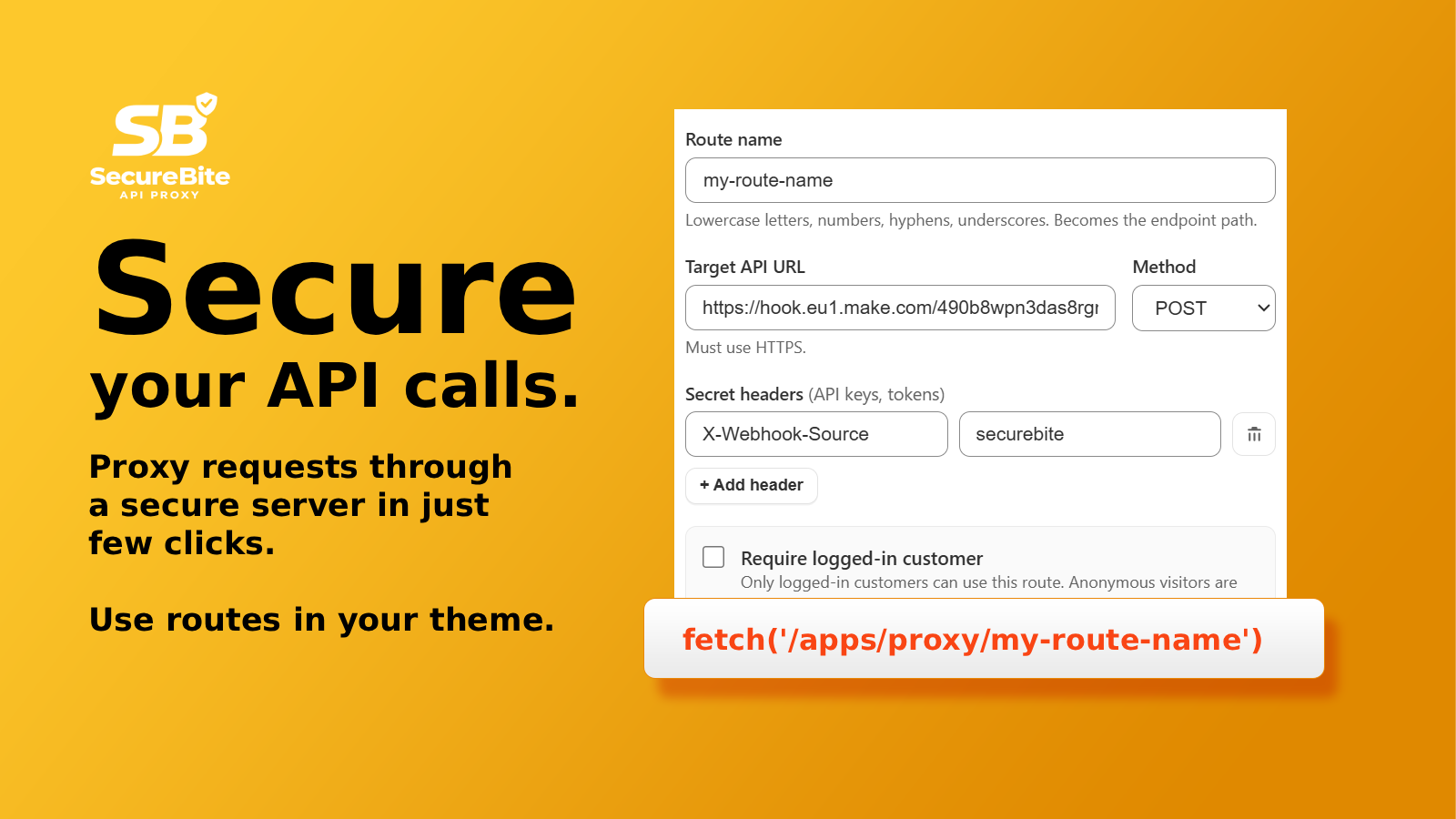
SecureBite API Proxy lets your Shopify theme call any API without exposing your API keys or running into CORS errors. It’s a Shopify app built by WeBite.
Install SecureBite on the Shopify App Store. There’s a free plan.
The problem it solves
Shopify themes are public. Calling a third-party API from a theme runs into three walls:
- API keys are exposed. A key in theme JavaScript, a snippet, a theme setting or a metafield ends up in the page source, where anyone can read it.
- CORS blocks the call. Most APIs are built for servers, so the browser stops the request with “blocked by CORS policy”.
- Liquid can’t help. Liquid renders on Shopify’s servers and can’t make HTTP requests to an external API.
The standard fix is a backend behind a Shopify app proxy. That means a server to build, host, secure and maintain. SecureBite is that backend, set up from your Shopify admin.
How it works
- Create a route in the SecureBite admin: a name, the API’s URL and the method.
- Add your API key as a secret header or secret query param. It’s stored on the server and never sent to the browser.
- Call the route from your theme at
/apps/proxy/your-route. It’s on your own domain, so there’s no CORS error. - SecureBite does the rest. Shopify signs each request, SecureBite verifies the signature, adds your key, calls the API and returns the response.
fetch('/apps/proxy/stock-lookup?sku=' + encodeURIComponent(sku))
  .then((res) => res.json())
  .then((data) => {
    // data comes straight from the API, the key never left the server
  });
Features
- Secret headers and query params. API keys and tokens are added on the server. They never appear in HTML, JavaScript, network responses or dev tools.
- Customer-only routes. Require a logged-in customer, and identify them on the server with
{{logged_in_customer_id}}or{{logged_in_customer_email}}. Both come from Shopify’s signed request, so they can’t be faked. - Forward only mapped params. Drops every query param the browser adds except the ones you allow, so visitors can’t change what a route asks the API for.
- URL placeholders with patterns. Put
{{name}}in the URL path and set a pattern. Missing or non-matching values are rejected before the API is called. - Protected POST routes. Body templates decide exactly what’s sent, and fields not in the template are dropped. Add required fields and a single-use nonce against replayed or scripted requests.
- Return only what the page needs. Trim the API response to one JSON path before it reaches the browser.
- Response caching on the Pro and Scale plans, with a clear cache URL that webhooks or other routes can call when the data changes.
- Theme Scan. Checks your published theme for API keys that are already exposed (Stripe, AWS, Klaviyo, OpenAI and more), and skips keys that are public by design.
- Route tester. Test a route against the live API from the admin before you touch the theme.
- Shopify Sidekick. Paste an API call or a curl command into Sidekick and it fills in the route form for you. It never fills in secret keys.
- Cloudflare’s edge network. Nothing to host, and every route is rate-limited to 120 requests a minute.
What it’s used for
- Showing a customer’s Klaviyo back-in-stock waitlist on their account page.
- Showing a loyalty or store credit balance, for example from Rise.ai, on account pages.
- Sending form and newsletter signups to Attentive, a CRM or an ERP without exposing the key.
- Stock, price or delivery lookups from an ERP or shipping API on product pages.
- Calling OpenAI from a storefront form, with the prompt kept on the server in a body template.
Pricing
| Plan | Price | Requests per month | Routes | Caching |
|---|---|---|---|---|
| Free | $0 | 1,000 | 2 | No |
| Starter | $5/month | 10,000 | Unlimited | No |
| Pro | $10/month | 100,000 | Unlimited | Yes |
| Scale | $15/month | 1,000,000 | Unlimited | Yes |
Paid plans have a 14-day free trial and are billed through Shopify. Every request through a route counts, including cached responses. You get a warning at 80% of your monthly limit. At 100%, requests are blocked until the next month starts, and there are no overage charges.
Common questions
Can visitors see my API keys?
No. Keys and secret headers are stored on the server and added by SecureBite. Visitors only see the API’s response.
Can someone call my routes from outside my store?
No. The /apps/proxy/ paths only exist on your storefront. Shopify signs every request, and SecureBite rejects anything without a valid signature.
Does it fix “blocked by CORS policy” errors?
Yes. Your theme calls a path on your own domain, so the browser makes no cross-origin request. The call to the API happens server to server, where CORS doesn’t apply.
Can a route return only the logged-in customer’s own data?
Yes. Turn on Require logged-in customer and Forward only mapped params, then identify the customer in a secret param, for example filter = equals(email,"{{logged_in_customer_email}}"). Any filter the browser sends is ignored.
Which APIs does it work with?
Any HTTPS API that authenticates with a key in a header or query parameter: Klaviyo, Attentive, OpenAI, ERPs, loyalty, shipping and review platforms, or your own backend.
Can you build the integration for us?
Yes. We’re a Shopify development agency, so we can set up the routes and the theme code, or clean up keys that are already exposed. Get in touch.

Call any API from your Shopify theme without exposing your keys or running into CORS.
- API keys stored in the app and added on the server
- CORS-blocked APIs become reachable from your theme
- Customer-only routes, filtered by Shopify’s signed login
- Runs on Cloudflare’s edge network, nothing to host
- Free plan available